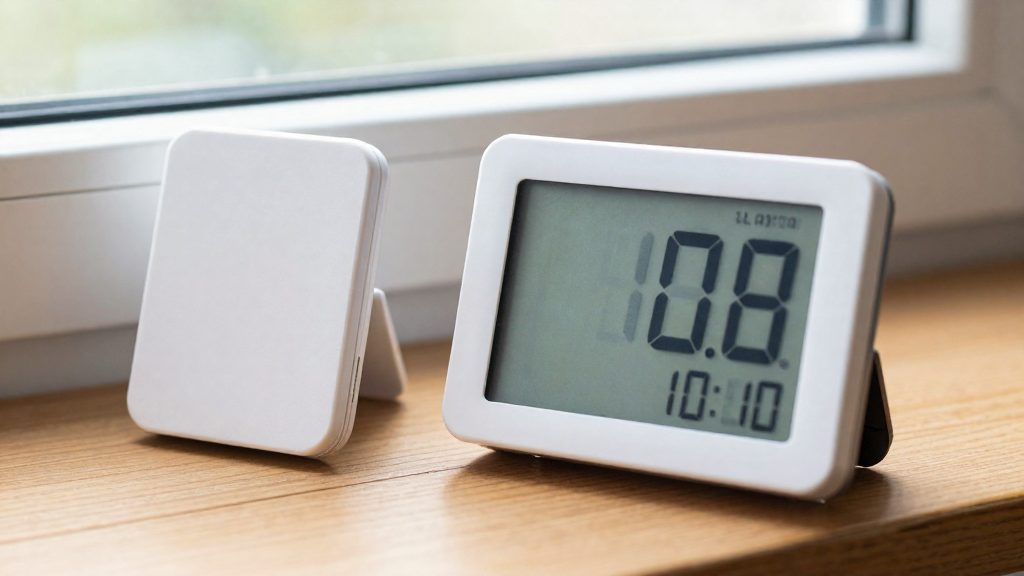
A hygrometer and a weather station usually disagree because they measure different things in different places. A weather station reports outdoor relative humidity (RH) at its own mounting point, while a home hygrometer reports RH at one indoor spot. Sensor tolerance, sensor drift, and the local conditions around each device all contribute to the gap, so a difference of a few percentage points does not automatically mean either device is faulty.
Why does a hygrometer reading differ from a weather station?
Four factors explain most of the difference: sensor tolerance, drift over time, the measurement location, and the moment of measurement.
| Factor | Effect on the reading | Source |
|---|---|---|
| Sensor tolerance | Electronic humidity sensors are typically accurate to about ±3 to 5 % RH | Ambient Weather |
| Contamination | Sensors can drift over time | Ambient Weather |
| Measurement location | RH near a cold exterior wall differs from RH at the room’s center | Institut national de santé publique du Québec (INSPQ) |
| Time and place | Readings reflect only the conditions at that moment and location | INSPQ |
Sensor tolerance and drift
A home hygrometer sensor typically carries an error of about ±3 to 5 % RH. A gap between it and an official reading can therefore fall inside that tolerance without indicating a fault. Contamination can also shift the sensor’s output over time, so an instrument that agreed with a reference last year may not agree today.
Testing a hygrometer with a saturated salt solution
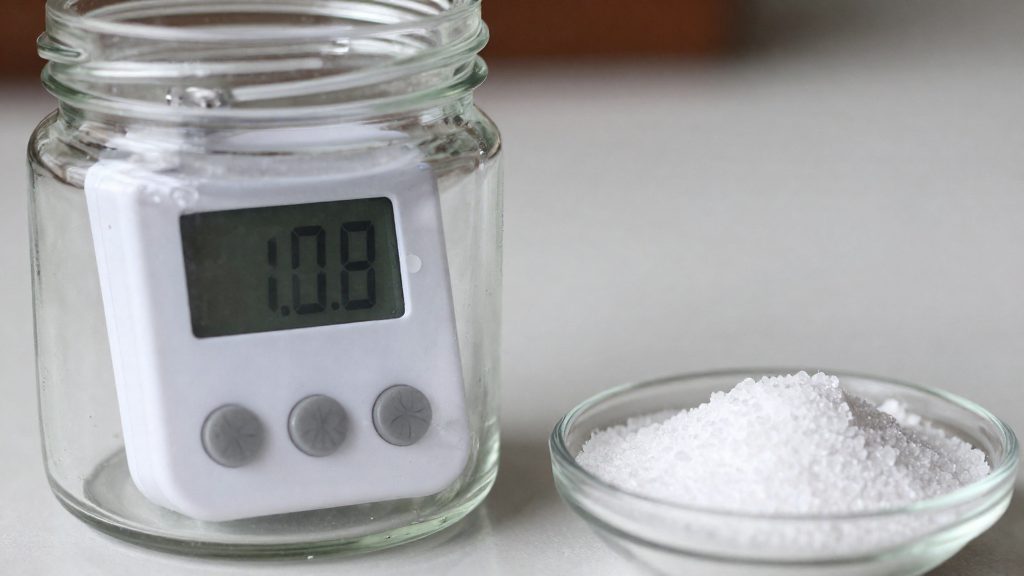
The saturated salt test checks whether a sensor reads correctly at one point:
- Seal the sensor in a bag with a saturated table-salt solution for 96 hours.
- A correct sensor should read 75 % RH plus or minus its rated error. For a ±5 % sensor, the acceptable range is 70 to 80 % RH.
- Repeat the test once a year, as the manufacturer suggests, to catch drift.
The test verifies only one humidity point, so it does not confirm accuracy across the full range.
Calibrating against a weather station
Some weather stations and consoles can be calibrated by applying a fixed offset (bias) to the reading. Apply an offset only after the salt test shows a consistent difference, because an offset cannot correct a sensor that drifts unevenly across the humidity range.
Location and temperature
RH depends on temperature, and it varies within a single room. A hygrometer placed near a cold exterior wall will read differently from one at the room’s center, and a weather station mounted outdoors will reflect outside conditions entirely. When comparing devices, measure temperature at the same points as RH, and compare readings taken at the same time.
Reading the gap against reference thresholds
The INSPQ generally recommends an indoor RH of 30 to 50 % in Quebec for comfort and to limit fungal growth. It notes that fungal growth is theoretically limited below 65 % RH, and organizations set ceilings between 60 and 70 %. When outdoor temperatures fall below -10 °C, CMHC, as reported by the INSPQ, recommends keeping indoor RH at 30 %, or 25 % in very cold conditions, to prevent condensation on windows and cold walls.
Indoor and outdoor humidity: two different realities
A home hygrometer and a weather station can show different relative humidity (RH) values at the same time, and both can be accurate. Electronic humidity sensors are typically accurate to about ±3 to 5 % RH, so a gap between two devices can fall within that tolerance. The bigger differences come from where each sensor sits and what it measures. Indoor and outdoor RH are different quantities, and comparing them directly is usually misleading.
Why the two readings diverge
- Sensor tolerance: Each device has its own error margin, and sensors can drift over time because of contamination (Ambient Weather).
- Location: RH reflects only the conditions at the time and place of measurement. A reading taken near a cold exterior wall differs from one at the room’s centre (INSPQ).
- Calibration: Some weather stations or consoles can be calibrated by applying a bias to the reading (Ambient Weather).
Checking your hygrometer
A saturated salt test is a practical way to verify a sensor. The sensor is sealed with a saturated table-salt solution in a bag for 96 hours. It should then read 75 % RH plus or minus its rated error, so 70–80 % for a ±5 % sensor. The manufacturer suggests repeating the test yearly to catch drift (Ambient Weather). The test checks only one point on the scale, so it confirms accuracy near 75 % RH but not across the full range.
Reference targets for indoor and outdoor air
| Context | Target or threshold | Source |
|---|---|---|
| Indoor, Quebec, general recommendation | 30–50 % RH | INSPQ |
| Indoor, fungal growth threshold | Growth theoretically limited below 65 % RH | INSPQ |
| Indoor, ceiling set by organizations | 60–70 % RH | INSPQ |
| Outdoor below -10 °C | 30 % RH indoors, or 25 % in very cold conditions | CMHC, as reported by INSPQ |
What accuracy to expect from a home hygrometer?
Electronic humidity sensors in home hygrometers are typically accurate to about ±3 to 5 % RH, according to Ambient Weather. A gap of a few points between a home device and an official reading can therefore fall within normal tolerance. Sensors can also drift over time because of contamination, so a slow change from earlier readings does not necessarily mean the room’s humidity has changed.
Checking a sensor with a saturated salt test
Ambient Weather describes a saturated salt test that checks the sensor against a known reference point:
| Step | Action |
|---|---|
| 1 | Seal the sensor in a bag with a saturated table-salt solution for 96 hours |
| 2 | Read the sensor at the end of the 96 hours |
| 3 | Compare the reading with 75 % RH plus or minus the rated error (70–80 % for a ±5 % sensor) |
| 4 | Repeat the test yearly to detect drift |
The test checks only one point on the humidity scale, so it does not confirm accuracy at lower or higher humidity levels. Some weather stations and consoles let you apply a bias to the reading, which corrects a known offset without replacing the sensor (Ambient Weather).
Why readings differ within the same home
According to the Institut national de santé publique du Québec (INSPQ), a relative humidity reading reflects only the conditions at the time and place of measurement. A device near a cold exterior wall will read differently from one at the centre of the room, so two devices should be compared only when placed at the same point. Temperature must be measured at the same points as humidity, because relative humidity is calculated from air temperature.
How to Test Your Hygrometer with Salt?
The saturated salt test checks whether a hygrometer reads close to a known humidity value. Seal the sensor in a bag with a saturated table-salt solution, keep it there for 96 hours, then compare the reading with the reference point. According to Ambient Weather, a correctly rated sensor should read 75 % RH plus or minus its rated error. Because the test checks only one point, it confirms accuracy at that level and nowhere else.
Procedure
- Prepare a saturated solution of table salt in a small amount of water, with undissolved salt remaining at the bottom.
- Place the hygrometer’s sensor in a sealed bag with the solution, keeping the sensor above the liquid and away from direct contact with it.
- Leave the sealed bag at a stable room temperature for 96 hours.
- Read the hygrometer and compare the value with the expected range.
Interpreting the Result
Electronic humidity sensors are typically accurate to about ±3 to 5 % RH, so the acceptable range depends on the sensor’s rated error:
| Rated error | Acceptable reading at 75 % RH |
|---|---|
| ±3 % | 72–78 % |
| ±5 % | 70–80 % |
A reading outside this range suggests drift, which Ambient Weather attributes partly to contamination of the sensor over time. The same source recommends repeating the test yearly to catch drift early.
Calibrating the Reading
Some weather stations and consoles allow a calibration offset, which applies a fixed bias to every reading. Apply the offset only after the salt test shows a consistent difference, since a single-point correction does not fix errors at other humidity levels.
Where to place the device for a reliable reading?
Relative humidity is not uniform inside a home, so the location of a hygrometer determines the value it reports. According to the Institut national de santé publique du Québec (INSPQ), an RH reading reflects only the conditions at the time and place of measurement, and it can vary within the same room. A sensor placed near a cold exterior wall will typically show a different relative humidity from one placed at the centre of that room. A single reading therefore describes one spot, not the whole space.
The position also explains most gaps between a hygrometer and a weather station. A weather station measures outdoor air, while a home sensor measures the air at its own measurement point. Comparing the two is only meaningful when both readings are taken under comparable conditions.
To get a usable reading:
- Choose a point near the centre of the room, away from exterior walls.
- Keep the sensor at the same point for every reading, so that readings taken over time can be compared with each other.
- To map variation, take readings at several points in the room and note where they differ.
- Record temperature readings at the same points as humidity. Relative humidity depends on temperature, so RH values without matching temperature values are hard to interpret.
| Placement | What the reading tells you |
|---|---|
| Room centre | Conditions at one central point in the room |
| Near an exterior wall | Conditions close to a cold surface, which can differ from the room centre |
| Single fixed point | Conditions at that spot and at that time only |
Target indoor humidity in Quebec by outdoor temperature
In Quebec, the INSPQ generally recommends an indoor relative humidity (RH) of 30 to 50 % for comfort and to limit fungal growth. Canadian guidance for cold weather is more specific. The rule is tied to outdoor temperature rather than to a calendar season. When outdoor temperatures fall below -10 °C, CMHC recommends keeping indoor RH at 30 %, or 25 % in very cold conditions, to prevent condensation on windows and cold walls, as reported by the INSPQ. Outside those cold conditions, the 30 to 50 % range remains the general reference. Readers in other provinces should check the local guidance that applies to them.
Indoor RH targets by condition
| Condition | Indoor RH target | Source |
|---|---|---|
| Quebec general recommendation | 30 to 50 % | INSPQ |
| Outdoor temperature below -10 °C | 30 % | CMHC, as reported by INSPQ |
| Outdoor temperature below -10 °C, very cold | 25 % | CMHC, as reported by INSPQ |
| Fungal growth theoretically limited | Below 65 % | INSPQ |
| Ceilings set by organizations | 60 to 70 % | INSPQ |
How to apply the targets
- Check the outdoor temperature when you read the indoor hygrometer.
- If it is below -10 °C, lower the indoor setpoint to 30 %. Use 25 % when conditions are very cold.
- If it is above -10 °C, keep indoor RH within 30 to 50 %.
- Condensation on windows or cold walls may indicate that indoor RH is above the cold-weather target, which is what the CMHC guidance aims to prevent. Other factors, such as very cold surfaces or poor ventilation, can also contribute.
When to correct the gap or replace the sensor?
Start by checking whether the gap falls within the sensor’s tolerance. According to Ambient Weather, electronic humidity sensors are typically accurate to about ±3 to 5 % RH, so a difference of a few points from an official reading may not indicate a fault. A gap larger than the rated tolerance, or one that grows over time, points to a sensor problem or a placement problem.
Step 1: Run a saturated salt test
Seal the sensor in a bag with a saturated table-salt solution for 96 hours. The reading should be 75 % RH plus or minus the sensor’s rated error, which means 70–80 % for a ±5 % sensor (Ambient Weather). This test checks only one point on the scale, so a pass does not confirm accuracy at drier or more humid levels. Ambient Weather suggests repeating it yearly to detect drift, which can come from contamination of the sensing element.
Step 2: Apply a bias correction if supported
Some weather stations and consoles allow a bias correction, which adds a fixed offset to the displayed value (Ambient Weather). Apply it only when the salt test shows a consistent offset. A fixed offset cannot correct a sensor whose error changes across the humidity range.
Step 3: Compare against reference values
The table below lists the reference values.
| Reference | Value | Source |
|---|---|---|
| Quebec indoor RH for comfort and limiting fungal growth | 30–50 % | INSPQ |
| Fungal growth theoretically limited | Below 65 % | INSPQ |
| Ceiling set by organizations | 60–70 % | INSPQ |
| Outdoor temperature below -10 °C | 30 %, or 25 % in very cold conditions | CMHC, as reported by INSPQ |
If the sensor passes the salt test but indoor readings exceed these values, the cause cannot be settled yet. The test checks only one point (75 % RH), so a sensor error at other humidity levels is not ruled out, and the environment may also be responsible. Compare with a second hygrometer and review moisture sources and ventilation. Compare with a second hygrometer and review moisture sources and ventilation.
Step 4: Check placement before replacing
RH varies within a room. A reading near a cold exterior wall differs from one at the room’s center (INSPQ). Measure temperature at the same points as RH, and move the sensor away from exterior walls before drawing conclusions.
When to replace the sensor
Replace the sensor when it fails the salt test beyond its rated error after any bias correction, when drift recurs at each yearly retest, or when the gap persists after placement has been corrected. Check the manufacturer’s documentation for any recommended replacement interval.
Frequently asked questions
Does a few percentage points of difference mean my hygrometer is faulty?
Not necessarily. According to Ambient Weather, electronic humidity sensors are typically accurate to about ±3 to 5 % RH, so a gap within that rated tolerance can be normal. Your hygrometer also sits indoors while the weather station sits outside, so the two readings are not measuring the same air.
How can I check whether my hygrometer reads correctly?
Seal the sensor in a bag with a saturated table-salt solution for 96 hours, then compare the reading with the expected 75 % RH within the sensor’s rated error. The test only checks one humidity level, so passing it does not confirm accuracy across the whole range.
Should I adjust my hygrometer to match the weather station?
Apply a bias offset only if a salt test shows a consistent difference. A sensor that passes the test needs no correction, and an offset cannot fix drift that changes unevenly across humidity levels.